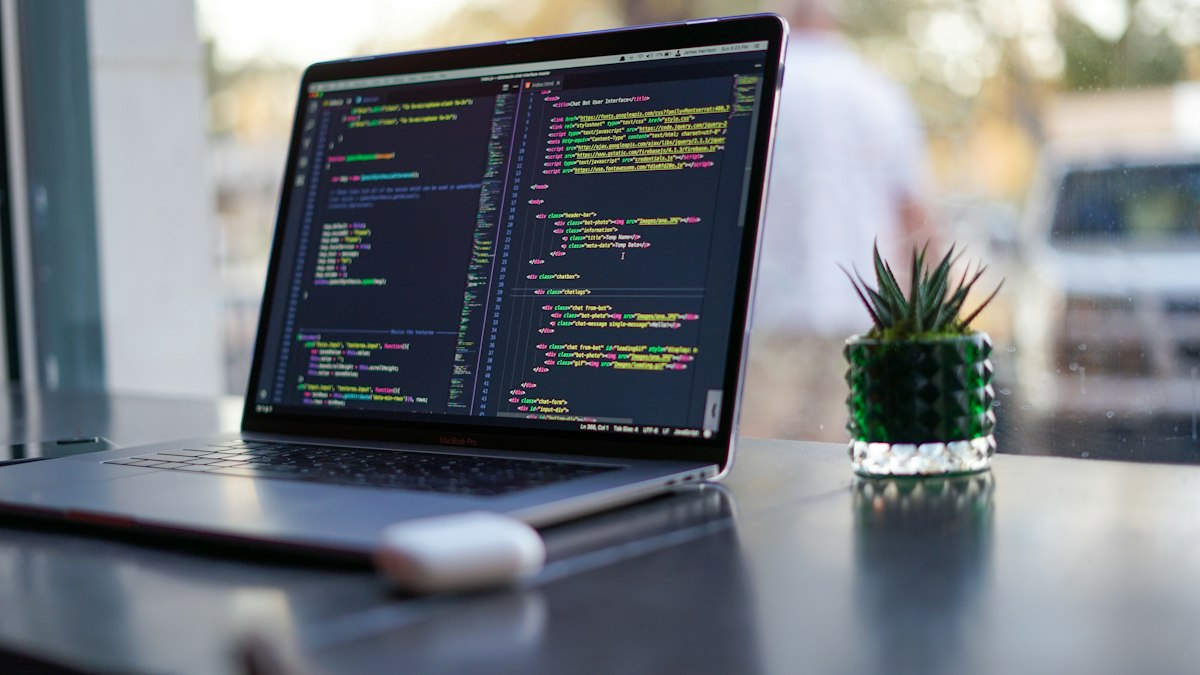
What Is Vibe Coding? The Biggest Programming Trend of 2026 Explained
EduCrush Team
23 June 2026
Vibe Coding was Collins Dictionary's Word of the Year 2025. By 2026, 92% of developers use AI coding tools daily and 46% of all new GitHub code is AI-generated. Here's everything you need to know — what it is, how it works, and whether you should learn it.
In February 2025, Andrej Karpathy — co-founder of OpenAI and former head of AI at Tesla — posted something that the developer community initially treated as a joke. He described a new way of building software where you simply tell an AI what you want, accept the generated code without reading it, and if something breaks, you paste the error back into the AI and let it fix itself. He called it vibe coding — "where you fully give in to the vibes, embrace exponentials, and forget that the code even exists."
By November 2025, Collins English Dictionary named vibe coding its Word of the Year. By 2026, it had moved from a viral tweet to the dominant workflow at startups, enterprises, and developer teams across the world. India alone accounts for 16.7% of global vibe coding usage — the highest in APAC. What started as one engineer's experiment is now reshaping an entire industry.
Traditional software development works like this: you think through a problem, plan the architecture, write every line of code manually, debug errors yourself, and iterate until it works. The bottleneck is always the developer's ability to translate an idea into working syntax — and that takes time, expertise, and a great deal of patience.
Vibe coding flips this entirely. Instead of writing code, you describe what you want in plain English. The AI generates the code. You run it, review the output, refine the instructions, and ship. The developer's job shifts from typing syntax to directing intent, reviewing output, and making architectural decisions — skills that require judgment, not just memorization.
Andrej Karpathy captured it simply: "The hottest new programming language is English." That line became the defining summary of what vibe coding represents — a shift from programming as a technical craft to programming as a communication skill.
The scale of adoption in 2026 is difficult to overstate. These are not projections — they are documented figures from surveys and platform data:
- 92% of US developers now use AI coding tools daily
- 46% of all new code pushed to GitHub is AI-generated as of April 2026
- $4.7 billion — the current market size of AI coding tools, projected to reach $12.3 billion by 2027
- 63% of vibe coding users are non-developers — people with no programming background building real products
- 340% growth in enterprise adoption between 2024 and early 2026
- 87% of Fortune 500 companies now run at least one vibe coding platform
- Google reports that 25% of its own internal code is now AI-assisted
- Developers report 3 to 5x productivity gains when using vibe coding effectively
- A quarter of startups in Y Combinator's recent cohort have codebases that are almost entirely AI-generated
Collins Dictionary named it Word of the Year. MIT named AI-assisted coding a breakthrough technology of the year. The numbers and the institutions agree — this is not hype. It is the new baseline.
Understanding vibe coding as a workflow — not just a concept — is what separates people who use it effectively from those who get burned by it.
Step 1 — Write a Strong Prompt
The quality of your output is almost entirely determined by the quality of your input. Vague prompts produce vague code. "Make a login page" will give you something generic. "Create a responsive login page with email and password fields, real-time validation, red error messages below each field, a forgot password link, and a loading spinner during form submission using Tailwind CSS and Next.js" — that will give you something you can actually use. The more specific your context, the less revision you need afterward.
Step 2 — Let the AI Generate
Tools like Cursor, GitHub Copilot, or Claude Code take your description and generate the full code — components, logic, styling, and sometimes even tests. What used to take hours of manual work happens in seconds. This is where the productivity gain is most visible.
Step 3 — Review Before You Run
This is the step most beginners skip — and it is the most important one. A December 2025 analysis of 470 open-source GitHub pull requests found that AI-generated code contained 1.7 times more major issues than human-written code, including 75% more misconfigurations and 2.74 times more security vulnerabilities. A Stanford study found that developers using AI tools wrote less secure code — while simultaneously reporting higher confidence in its security. Read what was generated. Understand it. Test it. Never deploy AI code you cannot explain.
Step 4 — Iterate Through Conversation
If the output is 80% right, use the remaining 20% as a new prompt. "The button color should be green, not blue." "The mobile layout breaks on screens below 375px." "Add a loading state during the API call." This back-and-forth conversation — refining the output through specific natural language feedback — is what separates effective vibe coding from random prompting.
Step 5 — Ship
What previously took weeks to prototype can now reach a working state in hours. The idea-to-product timeline compression is the most transformative aspect of vibe coding for startups and solo developers.
💻 Cursor — The Professional Standard
The clear market leader for professional developers in 2026. It looks exactly like VS Code — same shortcuts, same extensions — but with AI deeply embedded throughout. Cursor understands your entire codebase as context, not just the file you have open. Ask it to fix a bug, explain a function, refactor a component, or build something entirely new from a description. By early 2026, Cursor had reached $2 billion in annualized revenue — the clearest market signal of how widely it has been adopted. Free tier available, paid plans start at $20/month.
🤖 GitHub Copilot — Free for Students
Microsoft and GitHub's flagship AI coding assistant, integrated directly into VS Code, JetBrains, and every major IDE. Provides real-time code suggestions, inline chat for explanations, and can generate entire functions from a comment. The most important detail for engineering students: GitHub Copilot is completely free through the GitHub Student Developer Pack — verify with your college email and you have full access at zero cost. This should be the first vibe coding tool every BTech or BCA student installs.
⚡ Claude Code — For Complex Codebases
Anthropic's terminal-native coding assistant, designed for power users who need to work across entire repositories rather than single files. Can run tests, manage files, read documentation, and handle multi-step tasks with a 1 million token context window — meaning it can hold your entire large codebase in context simultaneously. Preferred by developers working on complex, production-scale projects where other tools lose track of the broader architecture.
🚀 Bolt.new and Lovable — For Non-Developers
Full-stack app generators that take a single prompt and return a complete, deployable application — frontend, backend, and database included. No setup, no configuration, no prior coding knowledge required. These platforms are responsible for the surge in non-developer vibe coding adoption. 63% of vibe coding users globally have no traditional development background, and platforms like Bolt.new and Lovable are exactly why that number is rising.
🔧 Windsurf — Best Value
A strong Cursor alternative at $15/month, offering deep codebase awareness and a workflow designed around multi-file edits. Particularly popular among developers who want Cursor-level capability at a lower price point.
The most important skill in vibe coding is not prompting — it is knowing when to use AI and when not to. The developers who are getting 3 to 5x productivity gains are not using AI for everything. They are using it precisely.
Vibe coding works exceptionally well for standard CRUD applications and REST APIs, React components and UI layouts, boilerplate and project scaffolding, writing tests for existing code, and converting designs into working interfaces. These are pattern-heavy tasks where AI has seen thousands of examples and generates reliably correct output.
Vibe coding breaks down — and breaks down badly — for security-critical code like authentication, encryption, and payment processing, performance-critical algorithms where every microsecond matters, novel problem domains the AI has no training data for, and regulatory or compliance code that requires human accountability. The Wall Street Journal reported in May 2026 that engineers behind a major AI agent system warned of a looming "vibe slop" crisis — companies trading short-term productivity for long-term bugs, service outages, and security vulnerabilities. The risk is real.
If you are a BTech or BCA student learning to code, vibe coding presents a specific and serious temptation: use AI to generate your assignments without understanding the output. This is the worst possible approach — not because it is dishonest, but because it hollows out the exact foundation you will need to actually function as a developer.
The developers thriving with vibe coding in 2026 are not people who skipped learning fundamentals. They are people who understand code deeply enough to know when the AI is wrong — and to fix it when it is. A METR study found that experienced open-source developers were actually 19% slower when using AI tools for unfamiliar tasks — because they had to review and correct AI output they could not blindly trust. Inexperienced developers who cannot spot AI errors ship bugs they do not know exist.
The right approach is to use AI as a tutor and accelerator, not a replacement. When Copilot generates a function, read it and understand why it works the way it does. When Cursor suggests a refactor, trace through the logic before accepting it. The goal is to move faster because you understand deeply — not to move fast because you have stopped understanding.
The most common fear triggered by vibe coding statistics is straightforward: if AI writes 46% of all code, are developer jobs disappearing? The data does not support that conclusion — but it does support a clear shift in what skills matter.
Microsoft CTO Kevin Scott has predicted that 95% of all code will be AI-generated within five years. IDC forecasts that 40% of G2000 job roles will involve working with AI agents by 2026. But the same reports consistently find that demand for developers is not shrinking — it is shifting. The mechanical skill of typing correct syntax is being commoditized. The intellectual skill of designing systems, reviewing AI output critically, ensuring security, and making architectural decisions is becoming more valuable than ever.
The developers who will struggle are those whose only skill was writing boilerplate. The developers who will thrive are those who understand systems well enough to direct AI effectively, review its output rigorously, and take responsibility for what gets shipped. That combination — deep understanding plus AI fluency — is the most valuable profile in the 2026 job market.
- Install GitHub Copilot today — it is free for students through the GitHub Student Developer Pack. Verify with your college email and start using it on your next coding assignment.
- Try Cursor's free tier — open one of your existing projects and ask it to explain a function, fix a bug, or add a feature. Notice how the workflow feels different from writing everything manually.
- Practice writing strong prompts — specificity is everything. The more context and constraints you provide, the better the output. Treat prompting as a skill you are actively developing.
- Always review what gets generated — make it a rule that you never submit or deploy code you cannot read and explain line by line.
- Keep building your fundamentals — DSA, system design, and core CS concepts are not less important in the age of vibe coding. They are the tools you use to evaluate AI output and catch its mistakes.
Vibe coding is not the end of programming. It is the evolution of what programming means — from manually typing every line to intelligently directing machines that can write code faster than any human. The developers who understand this shift and adapt to it early will have a significant advantage over those who either ignore AI entirely or rely on it so completely that they lose the ability to think without it.
The vibe is real. Learn to work with it.
— EduCrush Team 🎓
Written by
EduCrush Team
Part of the EduCrush team — building free resources for every Indian student.
Read More Articles