HOW TO CREATE HEART PARTICLE ANIMATION USING THREE.JS & JAVASCRIPT
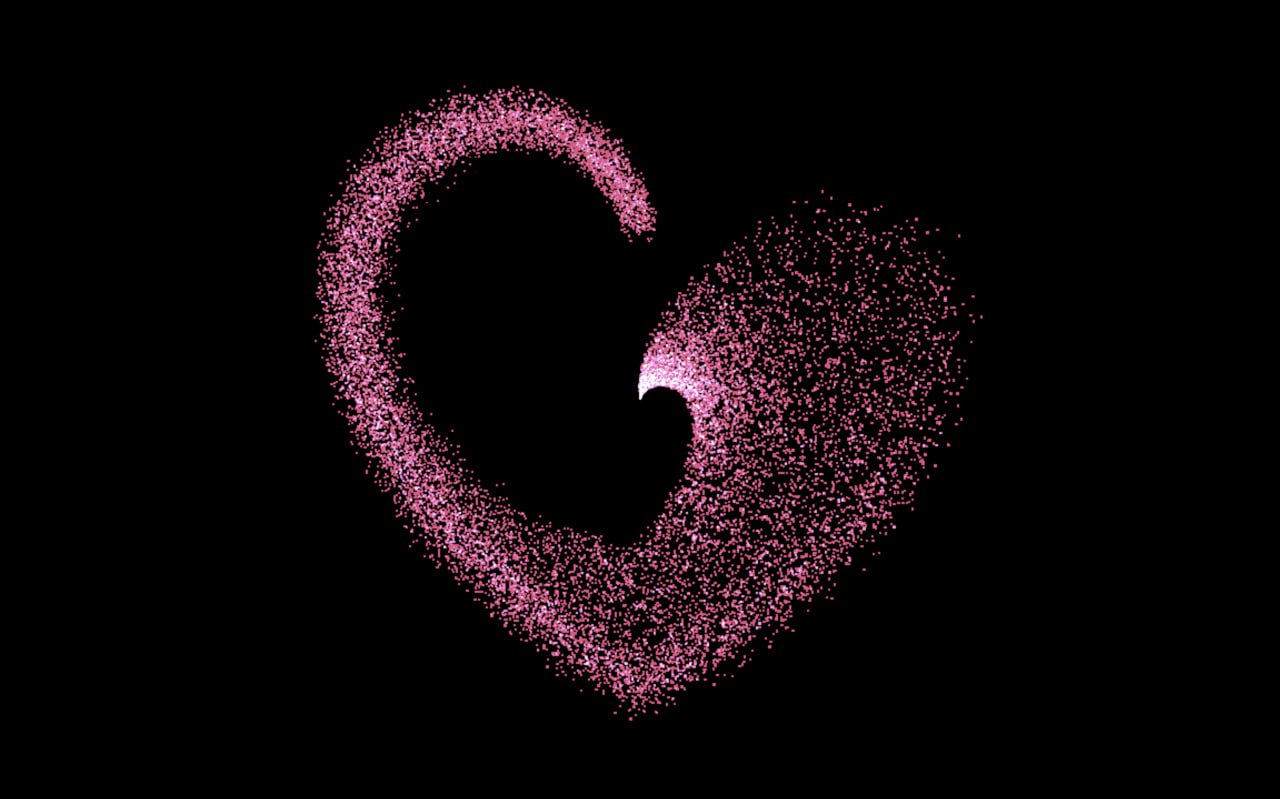
In this project we will create a beautiful heart particle animation using Three.js and JavaScript. This animation uses thousands of particles to form a glowing heart shape that smoothly animates on the screen. This tutorial helps beginners understand how modern JavaScript animation libraries and WebGL technologies can be used to build stunning visual effects for websites.
Technologies Used
- HTML – structure of the animation canvas
- Three.js – creating 3D particle rendering
- GSAP – smooth animation and transitions
- JavaScript – controlling the particle behaviour
HTML Structure Explanation
The HTML structure of this project is kept simple and clean to focus on the animation. A canvas element is used as the main container where the heart particle animation is rendered using Three.js. The heading, description, and badges are placed above the canvas to provide context about the project. This layered structure ensures that the animation runs smoothly in the background while keeping the content readable and user-friendly. Minimal HTML helps improve performance and keeps the layout lightweight.
HTML Code
<!DOCTYPE html>
<html lang="en">

<head>
  <meta charset="UTF-8">
  <title>Heart Animation | @EduCrush</title>
  <meta name="viewport" content="width=device-width, initial-scale=1">
  <link rel="stylesheet" href="./style.css">
</head>

<body>

<svg viewBox="0 0 600 552">
  <path d="M300,107.77C284.68,55.67,239.76,0,162.31,0,64.83,0,0,82.08,0,171.71c0,.48,0,.95,0,1.43-.52,19.5,0,217.94,299.87,379.69v0l0,0,.05,0,0,0,0,0v0C600,391.08,600.48,192.64,600,173.14c0-.48,0-.95,0-1.43C600,82.08,535.17,0,437.69,0,360.24,55.67,315.32,107.77,300,107.77" fill="#ee5282"/>
</svg>

<script src="https://cdn.jsdelivr.net/npm/three@0.136.0/build/three.min.js"></script>
<script src="https://cdn.jsdelivr.net/npm/three@0.136.0/examples/js/controls/OrbitControls.js"></script>
<script src="https://unpkg.co/gsap@3/dist/gsap.min.js"></script>
<script src="./script.js"></script>

</body>

</html>
CSS Styling Explanation
CSS is used to create a visually appealing layout and highlight the glowing heart animation. A dark background is applied to enhance the visibility of particles and create a premium look. The canvas is positioned properly to occupy the required screen space, while typography and spacing are optimized for readability. Smooth transitions and modern UI styling are used to give the page a professional feel. The combination of dark theme and glowing particles creates an emotional and visually attractive design.
CSS Code
body {
  margin: 0;
  overflow: hidden;
}

.controls {
  position: absolute;
  top: 0;
  left: 0;
  z-index: 1;
}

canvas {
  position: absolute;
}

svg {
  position: absolute;
  display: none;
}
Animation Logic Explanation
This project uses Three.js to render thousands of particles in a 3D space and arrange them in the shape of a heart. Each particle is positioned using mathematical calculations to form the heart structure. BufferGeometry is used for performance optimization while rendering large numbers of particles. GSAP is used to animate the particles smoothly, creating a flowing and dynamic heart animation effect. The animation loop continuously updates particle positions and renders frames in real-time. This combination of Three.js and GSAP creates a smooth, high-performance, and visually stunning animation.
JavaScript Code
console.clear();

/* SETUP */
const scene = new THREE.Scene();
const camera = new THREE.PerspectiveCamera(
  75,
  window.innerWidth / window.innerHeight,
  0.1,
  5000
);
camera.position.z = 500;

const renderer = new THREE.WebGLRenderer();
renderer.setPixelRatio(window.devicePixelRatio > 1 ? 2 : 1);
renderer.setSize(window.innerWidth, window.innerHeight);
document.body.appendChild(renderer.domElement);

/* CONTROLS */
const controlsWebGL = new THREE.OrbitControls(camera, renderer.domElement);

/* PARTICLES */
// Create a global gsap timeline that contains all tweens
const tl = gsap.timeline({
  repeat: -1,
  yoyo: true
});

const path = document.querySelector("path");
const length = path.getTotalLength();
const vertices = [];
for (let i = 0; i < length; i += 0.1) {
  const point = path.getPointAtLength(i);
  const vector = new THREE.Vector3(point.x, -point.y, 0);
  vector.x += (Math.random() - 0.5) * 30;
  vector.y += (Math.random() - 0.5) * 30;
  vector.z += (Math.random() - 0.5) * 70;
  vertices.push(vector);
  // Create a tween for that vector
  tl.from(vector, {
      x: 600 / 2, // Center X of the heart
      y: -552 / 2, // Center Y of the heart
      z: 0, // Center of the scene
      ease: "power2.inOut",
      duration: "random(2, 5)" // Random duration
    },
    i * 0.002 // Delay calculated from the distance along the path
  );
}
const geometry = new THREE.BufferGeometry().setFromPoints(vertices);
const material = new THREE.PointsMaterial( { color: 0xee5282, blending: THREE.AdditiveBlending, size: 3 } );
const particles = new THREE.Points(geometry, material);
// Offset the particles in the scene based on the viewbox values
particles.position.x -= 600 / 2;
particles.position.y += 552 / 2;
scene.add(particles);

gsap.fromTo(scene.rotation, {
  y: -0.2
}, {
  y: 0.2,
  repeat: -1,
  yoyo: true,
  ease: 'power2.inOut',
  duration: 3
});

/* RENDERING */
function render() {
  requestAnimationFrame(render);
  // Update the geometry from the animated vertices
  geometry.setFromPoints(vertices);
  renderer.render(scene, camera);
}

/* EVENTS */
function onWindowResize() {
  camera.aspect = window.innerWidth / window.innerHeight;
  camera.updateProjectionMatrix();
  renderer.setSize(window.innerWidth, window.innerHeight);
}
window.addEventListener("resize", onWindowResize, false);

requestAnimationFrame(render);
Conclusion
In this project we created a beautiful heart particle animation using Three.js and JavaScript. By combining WebGL rendering with smooth animations, we were able to build a visually stunning particle effect that forms a glowing heart shape. Projects like this help developers understand how modern JavaScript libraries and animation techniques can be used to create advanced visual effects for websites. You can use similar particle animations in landing pages, interactive websites and creative web experiences.
Real World Applications
Heart particle animations are widely used in modern web design for creating emotional and engaging user experiences. Such animations are commonly used in romantic websites, greeting pages, landing pages, and creative portfolios. They help in capturing user attention instantly and adding a unique visual identity to the website. Developers and designers use these effects to enhance storytelling and improve user engagement on digital platforms.
For more programming projects, source codes and notes join the EduCrush Telegram channel.
Join Telegram