HOW TO MAKE NETFLIX BUTTON ANIMATION USING HTML CSS & JAVASCRIPT
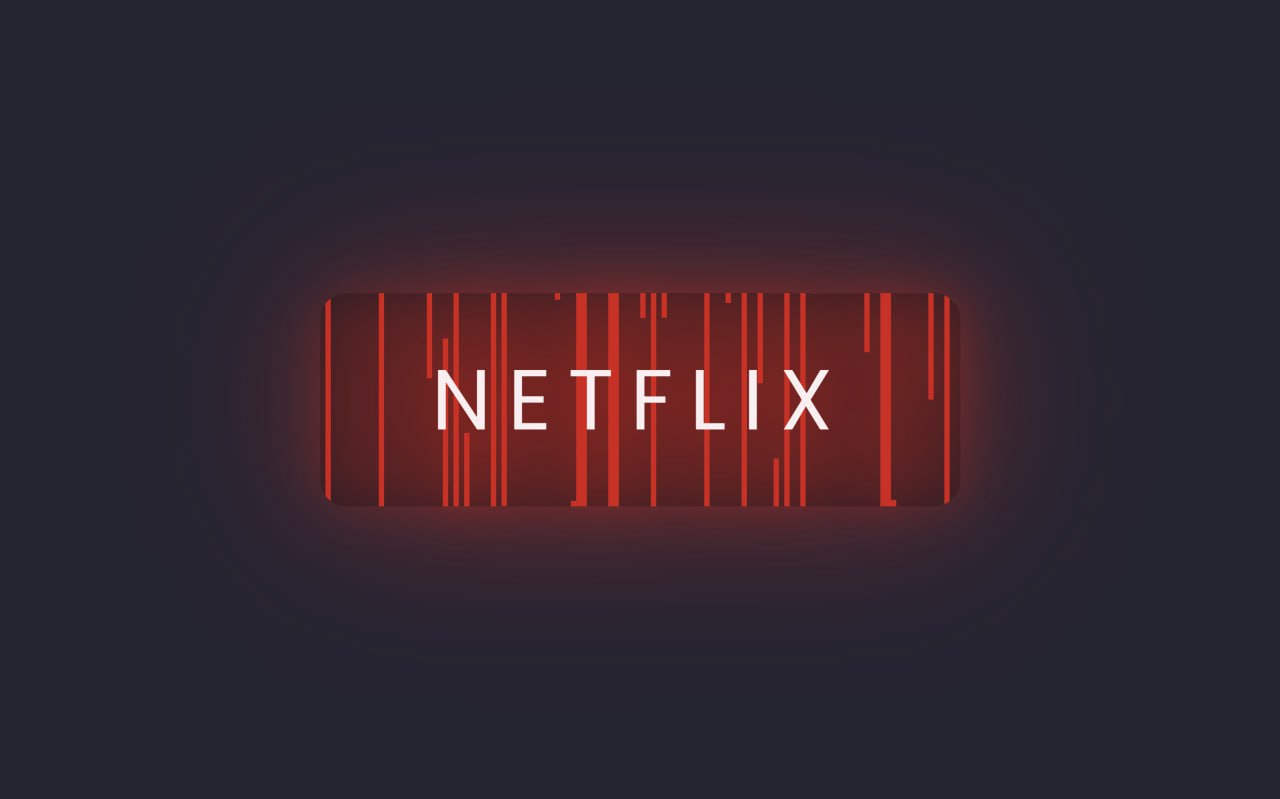
In this project we will create a stylish Netflix button animation using HTML, CSS and JavaScript. This project demonstrates how modern CSS effects and simple JavaScript interactions can be used to create attractive UI elements for websites.
Technologies Used
- HTML – structure of the animated button
- CSS – styling, glow effects and animations
- JavaScript – interactive animation behaviour
HTML Structure Explanation
The HTML structure of this project is very simple and focused on creating a button element. This button acts as the base for the animation effect. We use minimal HTML because the main focus of this project is styling and animation. The button is wrapped inside a container so that it can be centered properly on the screen. This approach helps in keeping the code clean and easy to understand for beginners.
HTML Code
<!DOCTYPE html>
<html lang="en">

<head>
    <meta charset="UTF-8">
    <meta name="viewport" content="width=device-width, initial-scale=1.0">
    <title>Netflix Button Animation | @EduCrush</title>
    <link rel="stylesheet" href="./style.css">
</head>

<body>

 <div class="container">
   <a href="#" class="btn">Netflix</a>
 </div>

 <script src="script.js"></script>

</body>

</html>
CSS Animation Explanation
The CSS is the core part of this project where the Netflix-style animation is created. We use advanced CSS properties like transitions, gradients, shadows, and keyframe animations. The glowing red effect and hover animation give the button a premium Netflix-like feel. When the user hovers over the button, the animation becomes more dynamic and visually attractive. This project demonstrates how powerful CSS can be in creating modern UI effects without using heavy JavaScript.
CSS Code
@import url("https://fonts.googleapis.com/css2?family=Nunito+Sans:ital,opsz,wght@0,6..12,200..1000;1,6..12,200..1000&family=Nunito:ital,wght@0,200..1000;1,200..1000&family=Poppins:ital,wght@0,100;0,200;0,300;0,400;0,500;0,600;0,700;0,800;0,900;1,100;1,200;1,300;1,400;1,500;1,600;1,700;1,800;1,900&display=swap");

* {
  margin: 0px;
  padding: 0px;
  box-sizing: border-box;
}

body {
  font-family: "Poppins", serif;
  display: flex;
  justify-content: center;
  align-items: center;
  height: 100vh;
  background: #252432;
  overflow: hidden;
}

.btn {
  position: relative;
  width: 240px;
  height: 80px;
  display: flex;
  justify-content: center;
  align-items: center;
  background: rgba(0, 0, 0, 0.2);
  border-radius: 10px;
  cursor: pointer;
  overflow: hidden;
  font-size: 2em;
  transition: 0.5s;
  text-decoration: none;
  text-transform: uppercase;
  letter-spacing: 0.05em;
  color: #e50914;
  /* border: 1px solid #fff; */
}

.btn:hover {
  filter: drop-shadow(0 0 10px #e50914) drop-shadow(0 0 30px #e50914);
  letter-spacing: 0.2em;
  color: #fff;
}

.btn span {
  position: absolute;
  top: 0;
  width: 2px;
  height: 100%;
  background: #e50914;
  pointer-events: none;
  transition: transform 0.2s ease-in-out;
  z-index: -1;
  transform: scaleY(0);
  transform-origin: bottom;
}

.btn:hover span {
  transform: scaleY(1);
  transform-origin: top;
}

.btn span:nth-child(even) {
  transform-origin: top;
}

.btn:hover span:nth-child(even) {
  transform-origin: bottom;
}
JavaScript Role (Optional)
In this project, JavaScript is optional and can be used to enhance interactivity. For example, click events or dynamic effects can be added using JavaScript. However, the main animation is fully handled using CSS, making the project lightweight and fast. This shows that many modern UI animations can be achieved without complex scripting.
JavaScript Code
document.addEventListener("DOMContentLoaded", function () {
  let btns = document.querySelectorAll(".btn");
  btns.forEach(function (btn) {
    let spans = [];
    for (let i = 0; i < 120; i++) {
      let span = document.createElement("span");
      span.style.left = `${i * 2}px`;
      spans.push(span);
      btn.appendChild(span);
      let randomDealy = Math.random() * 1 + 0;
      span.style.transitionDelay = randomDealy + "s";
    }
  });
});
Conclusion
In this project we created a Netflix style animated button using HTML, CSS and JavaScript. By combining modern CSS animations and simple interactive effects, we were able to build an attractive and dynamic UI element. Projects like this help beginners understand how front-end technologies work together to create visually engaging website components. You can use similar button animations in landing pages, portfolios and modern web applications to improve the user experience.
Real World Use of This Animation
Animated buttons like this are widely used in modern websites, landing pages, and web applications. They help in attracting user attention and improving click rates. Big platforms like Netflix, Amazon, and other product-based companies use similar animation styles to enhance user engagement. A well-designed button can significantly improve the overall user experience. By learning this project, you can create visually appealing buttons for your own websites and client projects.
Why This Project is Important
In modern web development, user interface design plays a crucial role. Small components like buttons can make a big difference in user engagement. This project helps developers understand how to design interactive elements that feel modern and professional. It also improves creativity and attention to detail. Such projects are very useful for building a strong portfolio and impressing recruiters or clients.
For more programming projects, source codes and notes join the EduCrush Telegram channel.
Join Telegram